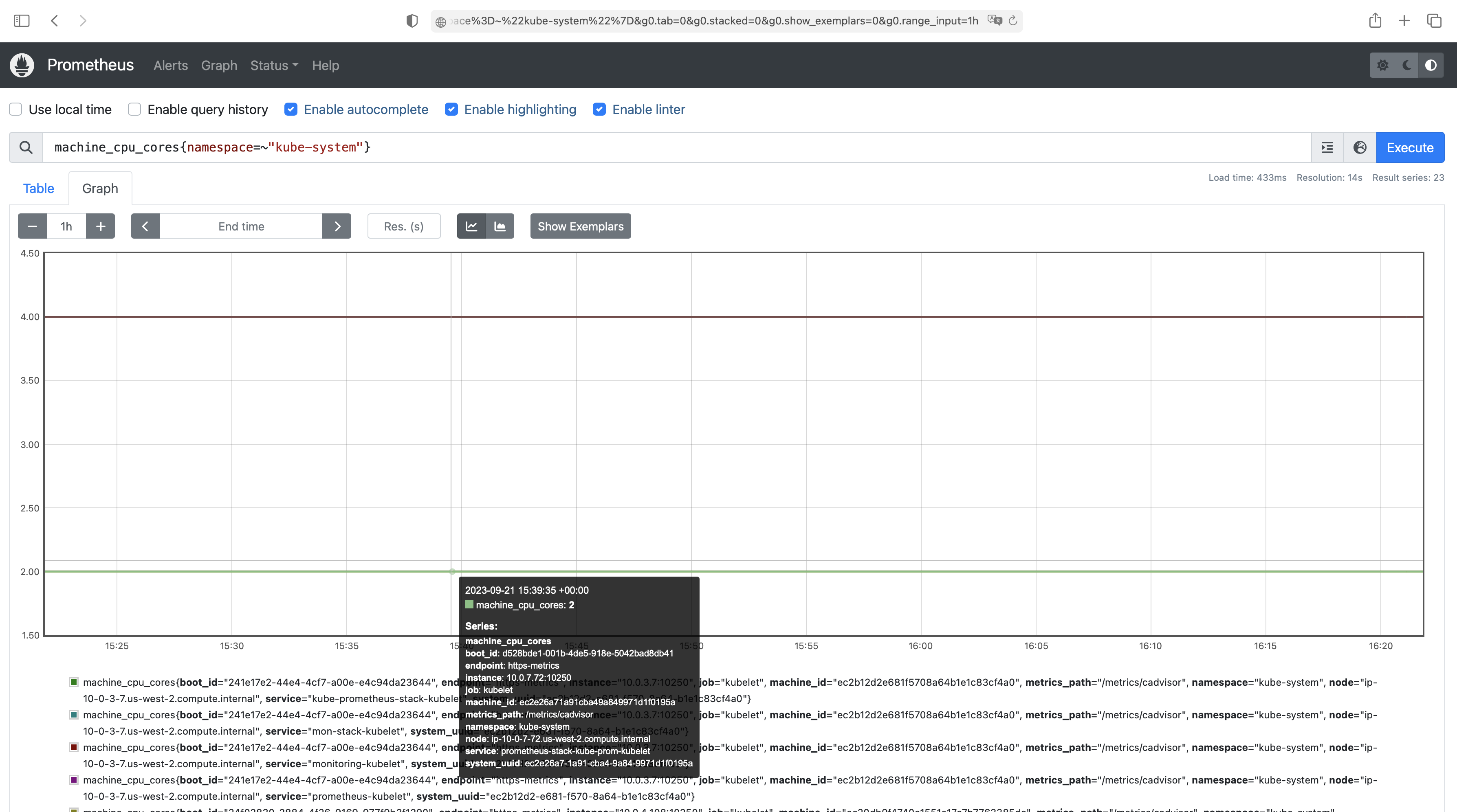
Prometheus has emerged as a popular monitoring tool in the Kubernetes ecosystem, offering robust metrics collection and alerting capabilities. However, as the complexity of monitoring environments grows, simply relying on Prometheus federation may no longer suffice. This is where Thanos comes into play. Thanos, a scalable, highly available Prometheus setup, offers advanced features such as global query view, long-term storage, and improved reliability. In this article, we will explore how to set up Prometheus with Thanos Querier using ArgoCD on Kubernetes, leveraging the power of Helm charts for streamlined deployment and management
Table of Contents
- Pre requests
- Project structure
- Thanos advantages
- Karpenter provisioner
- Helm charts
- ArgoCD application
Pre requests
- Working kubernetes cluster. In this article we use AWS EKS
- Installed karpenter node provisioner
- Installed ArgoCD
- Installed AWS load balancer controller
- Configurated next terraform providers:
– gavinbunney/kubectl
– oboukili/argocd
Project structure
terraform/
├── environment
│   ├── aws
│   │   ├── dev
│   │       ├── templates
│   │       │   ├── karpenter
│   │       │   └── monitoring
└── modules
Thanos advantages
- Scalability: Thanos allows for horizontal scalability, enabling you to handle larger workloads and increasing the capacity of your monitoring system as your needs grow. It achieves this by storing and querying data across multiple Prometheus instances.
- Global Query View: Thanos provides a global query view, allowing you to seamlessly query metrics from different Prometheus instances as if they were a single entity. This simplifies monitoring and troubleshooting across distributed systems and geographically dispersed deployments.
- Long-term Storage: With Thanos, you can store metrics for extended periods without worrying about data loss or disk space limitations. It uses scalable object storage such as Amazon S3 or Google Cloud Storage as its backend, enabling long-term retention of metrics.
- Improved Reliability: By replicating data across multiple Prometheus instances, Thanos significantly enhances the reliability of your monitoring system. It mitigates the risk of data loss in case of single Prometheus instance failures, ensuring smooth operations and effective troubleshooting.
- Efficient Data Compaction: With Thanos, you can compress and compact your metric data, reducing storage costs and improving query performance. This is achieved through techniques like downsampling, creating downsampled, more compact versions of your data for historical queries.
Karpenter provisioner
To ensure the reliability and stability of our monitoring system in Kubernetes, we will utilize the Karpenter provisioner. It is crucial to note that several resources in our stack, particularly those implemented as StatefulSets with dedicated block devices, need to be located in the same availability zone as the node. Failure to do so may result in the block device not being properly mounted during node recreation.
resource "kubectl_manifest" "karpenter_provisioner_logmon_stack" {
  provider  = kubectl.eks
  yaml_body = <<-YAML
  apiVersion: karpenter.sh/v1alpha5
  kind: Provisioner
  metadata:
    name: eks-logmon-stack
  spec:
    consolidation:
      enabled: true
    requirements:
      - key: karpenter.sh/capacity-type
        operator: In
        values: ["spot"]
      - key: "kubernetes.io/arch"
        operator: In
        values: ["arm64"]
      - key: node-role
        operator: In
        values: ["logging-monitoring"]
      - key: lifecycle
        operator: In
        values: ["spot"]
      - key: topology.kubernetes.io/zone
        operator: In
        values: ["${var.region}a"]
      - key: "node.kubernetes.io/instance-type"
        operator: In
        values:
        - t4g.nano
        - t4g.micro
        - t4g.small
        - t4g.medium
        - t4g.large
        - t4g.xlarge
    limits:
      resources:
        memory: 60Gi
    provider:
      subnetSelector:
        Name: "*private*"
        Environment: ${var.environment}
      securityGroupSelector:
        karpenter.sh/discovery/${local.cluster_name}: "${local.cluster_name}"
      tags:
        Name: "${local.cluster_name}-logmon-stack"
        karpenter.sh/discovery: "${local.cluster_name}"
  YAML

  depends_on = [
    helm_release.karpenter
  ]
}
Helm charts
In our implementation, we will leverage the official Helm charts provided by the Prometheus Community Kubernetes Helm Charts repository.
To configure the necessary parameters for stack, we need to define various settings to customize the “values.yaml” file according to our requirements.
Note that Grafana will be installed later separately from current stack and has disable value in our values.
We use the terraform data resource template_file to render the prometheus_stack.tpl.yaml file. The template argument specifies the template file to be rendered. The vars block defines the variables that will be used in the template file.
data "template_file" "prometheus_stack_values" {
  template = file("${path.module}/templates/monitoring/prometheus_stack.tpl.yaml")
  vars = merge(
    tomap({
      internal_ingress_group = local.shared_private_ingress_group,
      deploy_region          = var.region,
      alertmanager_host      = "alertmanager.${var.main_domain}",
      grafana_enabled        = false,
      grafana_host           = "grafana.${var.main_domain}",
      main_domain_ssl        = module.acm.acm_certificate_arn,
      prometheus_host        = "prometheus.${var.main_domain}",
      thanos_host            = "thanos.${var.main_domain}",
      prom_label_cluster     = local.cluster_name
    })
  )
}
prometheus_stack.tpl.yaml
############# Prometheus Operator values #############
prometheusOperator:
  resources:
    requests:
      cpu: 100m
      memory: 200Mi
    limits:
      cpu: 100m
      memory: 200Mi
  tolerations:
  - key: node-role
    operator: Equal
    value: logging-monitoring
  - key: lifecycle
    operator: Equal
    value: spot
  affinity:
    nodeAffinity:
      requiredDuringSchedulingIgnoredDuringExecution:
        nodeSelectorTerms:
          - matchExpressions:
            - key: "node-role"
              operator: In
              values:
              - logging-monitoring
            - key: "lifecycle"
              operator: In
              values:
              - "spot"
            - key: "lifecycle"
              operator: NotIn
              values:
              - "dedicated"

############# Alertmanager values #############
alertmanager:
  enabled: true

  ingress:
    enabled: true
    annotations:
      alb.ingress.kubernetes.io/group.name: ${internal_ingress_group}
      external-dns.alpha.kubernetes.io/hostname: ${alertmanager_host}
      alb.ingress.kubernetes.io/scheme: internal
      kubernetes.io/ingress.class: alb
      alb.ingress.kubernetes.io/target-type: ip
      alb.ingress.kubernetes.io/healthcheck-path: "/"
      alb.ingress.kubernetes.io/success-codes: '403,200'
      alb.ingress.kubernetes.io/healthy-threshold-count: '2'
      alb.ingress.kubernetes.io/unhealthy-threshold-count: '2'
      alb.ingress.kubernetes.io/healthcheck-timeout-seconds: '5'
      alb.ingress.kubernetes.io/healthcheck-interval-seconds: '15'
      alb.ingress.kubernetes.io/healthcheck-protocol: HTTP
      alb.ingress.kubernetes.io/healthcheck-port: traffic-port
      alb.ingress.kubernetes.io/listen-ports: '[{"HTTP": 80}, {"HTTPS":443}]'
    hosts:
      - ${alertmanager_host}
    paths:
      - "/*"

  alertmanagerSpec:
    image:
      registry: quay.io
      repository: prometheus/alertmanager
      tag: v0.26.0
    storage:
      volumeClaimTemplate:
        spec:
          storageClassName: gp2
          accessModes: ["ReadWriteOnce"]
          resources:
            requests:
              storage: 20Gi
    nodeSelector:
      topology.kubernetes.io/zone: "${deploy_region}a"
    resources:
      requests:
        memory: 200Mi
        cpu: 100m
      limits:
        memory: 200Mi
        cpu: 100m
    affinity:
      nodeAffinity:
        requiredDuringSchedulingIgnoredDuringExecution:
          nodeSelectorTerms:
            - matchExpressions:
              - key: "node-role"
                operator: In
                values:
                - logging-monitoring
              - key: "lifecycle"
                operator: In
                values:
                - "spot"
              - key: lifecycle
                operator: NotIn
                values:
                - "dedicated"
    tolerations:
    - key: node-role
      operator: Equal
      value: logging-monitoring
    - key: lifecycle
      operator: Equal
      value: spot

############# Grafana values #############
grafana:
  enabled: ${grafana_enabled}

# ############# Prometheus server values #############
prometheus:
  enabled: true

  thanosServiceExternal:
    enabled: false

  ingress:
    enabled: true
    annotations:
      alb.ingress.kubernetes.io/group.name: ${internal_ingress_group}
      external-dns.alpha.kubernetes.io/hostname: ${prometheus_host}
      alb.ingress.kubernetes.io/scheme: internal
      kubernetes.io/ingress.class: alb
      alb.ingress.kubernetes.io/target-type: ip
      alb.ingress.kubernetes.io/healthcheck-path: "/"
      alb.ingress.kubernetes.io/success-codes: '403,200,302'
      alb.ingress.kubernetes.io/healthy-threshold-count: '2'
      alb.ingress.kubernetes.io/unhealthy-threshold-count: '2'
      alb.ingress.kubernetes.io/healthcheck-timeout-seconds: '5'
      alb.ingress.kubernetes.io/healthcheck-interval-seconds: '15'
      alb.ingress.kubernetes.io/healthcheck-protocol: HTTP
      alb.ingress.kubernetes.io/healthcheck-port: traffic-port
      alb.ingress.kubernetes.io/listen-ports: '[{"HTTP": 80}, {"HTTPS":443}]'
      alb.ingress.kubernetes.io/actions.ssl-redirect: '{"Type": "redirect", "RedirectConfig": {"Protocol": "HTTPS", "Port": "443", "StatusCode": "HTTP_301"}}'
    hosts:
    - ${prometheus_host}
    paths:
    - "/*"

    # Thanos sidecar service and ingress config
  thanosService:
    enabled: true
    #clusterIP: ""
  thanosIngress:
    enabled: false
    hosts:
    - ${thanos_host}
    annotations:
      alb.ingress.kubernetes.io/group.name:  ${internal_ingress_group}
      external-dns.alpha.kubernetes.io/hostname: ${thanos_host}
      alb.ingress.kubernetes.io/scheme: internal
      kubernetes.io/ingress.class: alb
      alb.ingress.kubernetes.io/target-type: ip
      alb.ingress.kubernetes.io/success-codes: '12'
      alb.ingress.kubernetes.io/healthcheck-path: "/"
      alb.ingress.kubernetes.io/healthy-threshold-count: '2'
      alb.ingress.kubernetes.io/unhealthy-threshold-count: '2'
      alb.ingress.kubernetes.io/healthcheck-timeout-seconds: '5'
      alb.ingress.kubernetes.io/healthcheck-interval-seconds: '30'
      alb.ingress.kubernetes.io/healthcheck-protocol: HTTP
      alb.ingress.kubernetes.io/healthcheck-port: traffic-port
      alb.ingress.kubernetes.io/backend-protocol: HTTP
      alb.ingress.kubernetes.io/backend-protocol-version: GRPC
      alb.ingress.kubernetes.io/listen-ports: '[{"HTTPS":443}]'
      alb.ingress.kubernetes.io/ssl-policy: ELBSecurityPolicy-TLS-1-2-Ext-2018-06
    paths:
    - /*
    pathType: ImplementationSpecific

  prometheusSpec:
    image:
      registry: quay.io
      repository: prometheus/prometheus
      tag: v2.47.0
    replicas: 1
    externalLabels:
      cluster: ${prom_label_cluster}
    replicaExternalLabelName: replica
    additionalScrapeConfigs:
    - job_name: sidecar
      static_configs:
        - targets: ['127.0.0.1:10902']

    storageSpec:
      volumeClaimTemplate:
        spec:
          storageClassName: gp2
          accessModes: ["ReadWriteOnce"]
          resources:
            requests:
              storage: 30Gi
    nodeSelector:
      topology.kubernetes.io/zone: "${deploy_region}a"
    resources:
      limits:
        cpu: 1000m
        memory: 2000Mi
      requests:
        cpu: 1000m
        memory: 2000Mi
    tolerations:
    - key: node-role
      operator: Equal
      value: logging-monitoring
    - key: lifecycle
      operator: Equal
      value: spot
    affinity:
      nodeAffinity:
        requiredDuringSchedulingIgnoredDuringExecution:
          nodeSelectorTerms:
            - matchExpressions:
              - key: "node-role"
                operator: In
                values:
                - logging-monitoring
              - key: "lifecycle"
                operator: In
                values:
                - "spot"
              - key: "lifecycle"
                operator: NotIn
                values:
                - "dedicated"

    ### Thanos-related values ###
    enableAdminAPI: true
    thanos:
      image: quay.io/thanos/thanos:v0.32.1
      version: v0.32.1
      logLevel: info
      logFormat: logfmt
      # To upload metrics data to S3
      objectStorageConfig:
        key: thanos-objstore-config.yaml
        name: thanos-objstore-config
Next we will configured aws s3 bucket and thanos-objstore-config kubernetes secret for thanos.
thanos_objstore_config.tpl.yaml
type: S3
config:
  bucket: ${prometheus_data_bucket_name}
  endpoint: s3.${deploy_region}.amazonaws.com
  region: ${deploy_region}
  aws_sdk_auth: true
  insecure: false
  signature_version2: false
  list_objects_version: ""
  sse_config:
    type: "SSE-S3"
prefix: ${cluster_name}
Create s3 bucket for data and kubernetes secret
module "prometheus_data_bucket" {
  source = "./modules/aws-s3"
  bucket = "${module.this.id}-prometheus-data"
  force_destroy = false
  acl    = "private"
  versioning = {
    enabled = false
  }

tags = merge(module.this.tags, { Name = "${module.this.id}-prometheus-data" })
}


data "template_file" "thanos_objstore_values" {
  template = file("${path.module}/templates/monitoring/thanos_objstore_config.tpl.yaml")
  vars = {
    prometheus_data_bucket_name = module.prometheus_data_bucket.s3_bucket_id,
    deploy_region               = var.region,
    cluster_name                = local.cluster_name
  }
}

resource "kubernetes_secret" "thanos_objstore_config" {
  type = "Opaque"
  metadata {
    name      = "thanos-objstore-config"
    namespace = "monitoring"
  }
  data = {
    "thanos-objstore-config.yaml" = data.template_file.thanos_objstore_values.rendered
  }
}
Create s3 bucket policy for and IRSA role for monitoring service account
module "mon_stack_irsa_role" {
  source = "./modules/aws-iam/modules/iam-role-for-service-accounts-eks"

  role_name              = "${local.cluster_name}-mon-stack"
  allow_self_assume_role = true

  oidc_providers = {
    one = {
      provider_arn               = module.eks.oidc_provider_arn
      namespace_service_accounts = ["${kubernetes_namespace.monitoring.metadata[0].name}:mon-stack-prometheus"]
    }
    one = {
      provider_arn               = module.eks.oidc_provider_arn
      namespace_service_accounts = ["${kubernetes_namespace.monitoring.metadata[0].name}:mon-stack-alertmanager"]
    }
  }

  role_policy_arns = {
    additional           = aws_iam_policy.eks_monitoring_s3.arn
  }

  tags = merge(module.this.tags, { Name = "${module.this.id}-mon-stack" })

}

resource "aws_iam_policy" "eks_monitoring_s3" {
  name        = "${local.cluster_name}-monitoring-stack-S3Policy"
  path        = "/"
  description = "Allows monitoring stack to access S3 buckets with Prometheus data."

  policy = <<EOF
{
    "Version": "2012-10-17",
    "Statement": [
        {
            "Effect": "Allow",
            "Action": [
                "s3:List*",
                "s3:Get*",
                "s3:Describe*",
                "s3:AbortMultipartUpload",
                "s3:CompleteMultipartUpload",
                "s3:CreateMultipartUpload",
                "s3:CopyObject",
                "s3:GetObject",
                "s3:DeleteObject",
                "s3:PutObject"
            ],
            "Resource": [
                "${module.prometheus_data_bucket.s3_bucket_arn}",
                "${module.prometheus_data_bucket.s3_bucket_arn}/*"
            ]
        }
    ]
}
    EOF
}
Configure ArgoCD application for promethues stack using generated template file
resource "argocd_application" "prometheus_stack" {
  metadata {
    name      = "kube-prometheus-stack"
    namespace = "argocd"
  }

  spec {
    project = var.environment

    source {
      repo_url        = "https://prometheus-community.github.io/helm-charts"
      chart           = "kube-prometheus-stack"
      target_revision = "51.0.3"
      helm {
        parameter {
          name  = "namespaceOverride"
          value = kubernetes_namespace.monitoring.metadata[0].name
        }
        values = data.template_file.prometheus_stack_values.rendered

      }
    }

    destination {
      server    = module.eks.cluster_endpoint
      namespace = kubernetes_namespace.monitoring.metadata[0].name
    }

    sync_policy {
      automated {
        prune       = true
        self_heal   = true
        allow_empty = false
      }

      sync_options = ["Validate=true", "force=true", "CreateNamespace=true","ServerSideApply=true","Replace=true"]

      retry {
        limit = "5"
        backoff {
          duration     = "30s"
          max_duration = "2m"
          factor       = "2"
        }
      }
    }
  }
}
Applying all through terraform/terragrunt apply
After applying waiting ArgoCD app sync and checking our resources in monitoring namespace
kubectl get all -n monitoring

NAME                                                            READY   STATUS      RESTARTS   AGE
pod/alertmanager-mon-stack-alertmanager-0                       2/2     Running     0          110m
pod/kube-prometheus-stack-kube-state-metrics-776cff966c-srrgc   1/1     Running     0          7h15m
pod/kube-prometheus-stack-prometheus-node-exporter-5z4b2        1/1     Running     0          159m
pod/kube-prometheus-stack-prometheus-node-exporter-kl2kr        1/1     Running     0          159m
pod/kube-prometheus-stack-prometheus-node-exporter-pcvdf        1/1     Running     0          159m
pod/kube-prometheus-stack-prometheus-node-exporter-zcwq4        1/1     Running     0          159m
pod/kube-prometheus-stack-prometheus-node-exporter-zs2n5        1/1     Running     0          159m
pod/mon-stack-operator-68c8689b4c-wlxx8                         1/1     Running     0          110m
pod/monitoring-admission-create-gbw42                           0/1     Completed   0          157m
pod/monitoring-admission-patch-p7s4f                            0/1     Completed   0          157m
pod/prometheus-admission-create-zlwjl                           0/1     Completed   0          120m
pod/prometheus-admission-patch-pwgd4                            0/1     Completed   0          120m
pod/prometheus-mon-stack-prometheus-0                           3/3     Running     0          110m

NAME                                                     TYPE        CLUSTER-IP       EXTERNAL-IP   PORT(S)                      AGE
service/alertmanager-operated                            ClusterIP   None             <none>        9093/TCP,9094/TCP,9094/UDP   29h
service/kube-prometheus-stack-kube-state-metrics         ClusterIP   172.20.9.255     <none>        8080/TCP                     29h
service/kube-prometheus-stack-prometheus-node-exporter   ClusterIP   172.20.30.43     <none>        9100/TCP                     29h
service/mon-stack-alertmanager                           ClusterIP   172.20.100.139   <none>        9093/TCP,8080/TCP            110m
service/mon-stack-operator                               ClusterIP   172.20.231.67    <none>        443/TCP                      110m
service/mon-stack-prometheus                             ClusterIP   172.20.84.209    <none>        9090/TCP,8080/TCP            110m
service/mon-stack-thanos-discovery                       ClusterIP   None             <none>        10901/TCP,10902/TCP          110m
service/prometheus-operated                              ClusterIP   None             <none>        9090/TCP,10901/TCP           29h

NAME                                                            DESIRED   CURRENT   READY   UP-TO-DATE   AVAILABLE   NODE SELECTOR            AGE
daemonset.apps/kube-prometheus-stack-prometheus-node-exporter   5         5         5       5            5           kubernetes.io/os=linux   159m

NAME                                                       READY   UP-TO-DATE   AVAILABLE   AGE
deployment.apps/kube-prometheus-stack-kube-state-metrics   1/1     1            1           29h
deployment.apps/mon-stack-operator                         1/1     1            1           110m

NAME                                                                  DESIRED   CURRENT   READY   AGE
replicaset.apps/kube-prometheus-stack-kube-state-metrics-776cff966c   1         1         1       29h
replicaset.apps/mon-stack-operator-68c8689b4c                         1         1         1       110m

NAME                                                   READY   AGE
statefulset.apps/alertmanager-mon-stack-alertmanager   1/1     110m
statefulset.apps/prometheus-mon-stack-prometheus       1/1     110m

NAME                                    COMPLETIONS   DURATION   AGE
job.batch/monitoring-admission-create   1/1           4s         157m
job.batch/monitoring-admission-patch    1/1           3s         157m
job.batch/prometheus-admission-create   1/1           4s         120m
job.batch/prometheus-admission-patch    1/1           3s         120m
Since we have used an AWS Application Load Balancer as our Ingress, we can access Prometheus by opening the appropriate host in browser.
NOTE: aws load balanser has internal type and working only in “private” networks, be sure what you have access to that networks (vpn tunnel as example)
kubectl get ingress -n monitoring

NAME                     CLASS    HOSTS                        ADDRESS                                                                         PORTS   AGE
mon-stack-alertmanager   <none>   alertmanager.your_damain   internal-alb-adress.alb-region.elb.amazonaws.com   80      118m
mon-stack-prometheus     <none>   prometheus.your_damain     internal-alb-adress.alb-region.elb.amazonaws.com   80      118m